
Live
Stage Monitors
A screen for the band or DJ that shows the time and your notes.
What it is
A screen set up as a Stage Monitor always shows a big clock. It gets its own section at the top of Show Remote, separate from the venue screens.
Send a note
Type in its note box. The text appears on the stage screen as you type, in huge letters, with the clock moved to the corner.
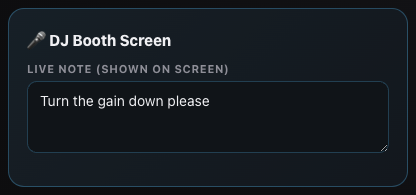
Typing a note for the stage screen. It gets noticed
Every time the note changes, the stage screen flashes a red border for 10 seconds so whoever's on stage looks up.
Clear the note
Delete the text and the screen goes back to just the clock.
Blackout skips it
⬛ Blackout Allnever touches a Stage Monitor, so the performer keeps it for the whole set.
Still stuck?Send us a ticket and the JJJK team will get back to you.
Submit a ticket