
Philips TVs
Live TV
Flip a TV to its own tuner for the footy, then back to signage.
Look for the button
📺 Live TVonly appears on screens a manager has switched on for it (Philips TVs with a built-in tuner).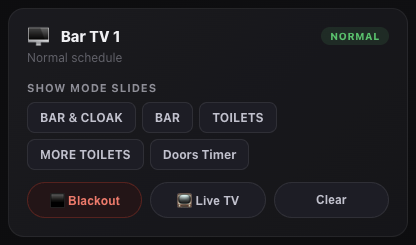
A Philips TV with Live TV switched on. Switch to TV
Tap
📺 Live TV. The TV changes to its tuner within a few seconds and the badge turns blueLive TV.It stays put
The screen stays on live TV until you change it, even if the TV restarts overnight.
Back to signage
Tap
🖥 Signage. The screen goes back to its normal playlist.
Still stuck?Send us a ticket and the JJJK team will get back to you.
Submit a ticket