
Before Doors
Open It
Get Show Remote onto the phone or tablet you'll use on the night.
Open the link
Go to
/signage/showon any phone or tablet. No VenueOS login needed, and it works on any network, not just the venue WiFi.Add it to your Home Screen
In Safari or Chrome, use Share →
Add to Home Screenso it's one tap away on show night.Enter the PIN if asked
If your venue has set a Show Mode PIN, type the 4 digits once. That phone stays signed in for 7 days.
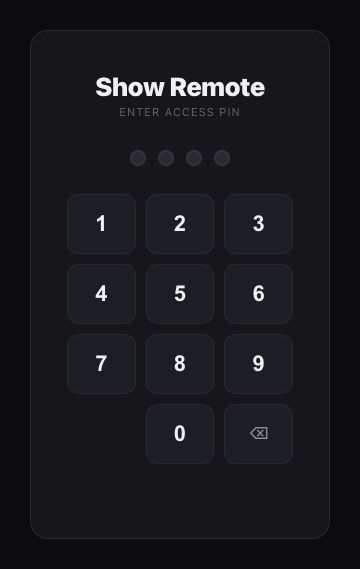
The PIN pad, if your venue has set one. Read the screen cards
Every screen gets its own card. The badge shows what it's doing right now:
Normal,Override,Blackout,Live TV, orOffline(not heard from in 5 minutes). The page refreshes itself every few seconds.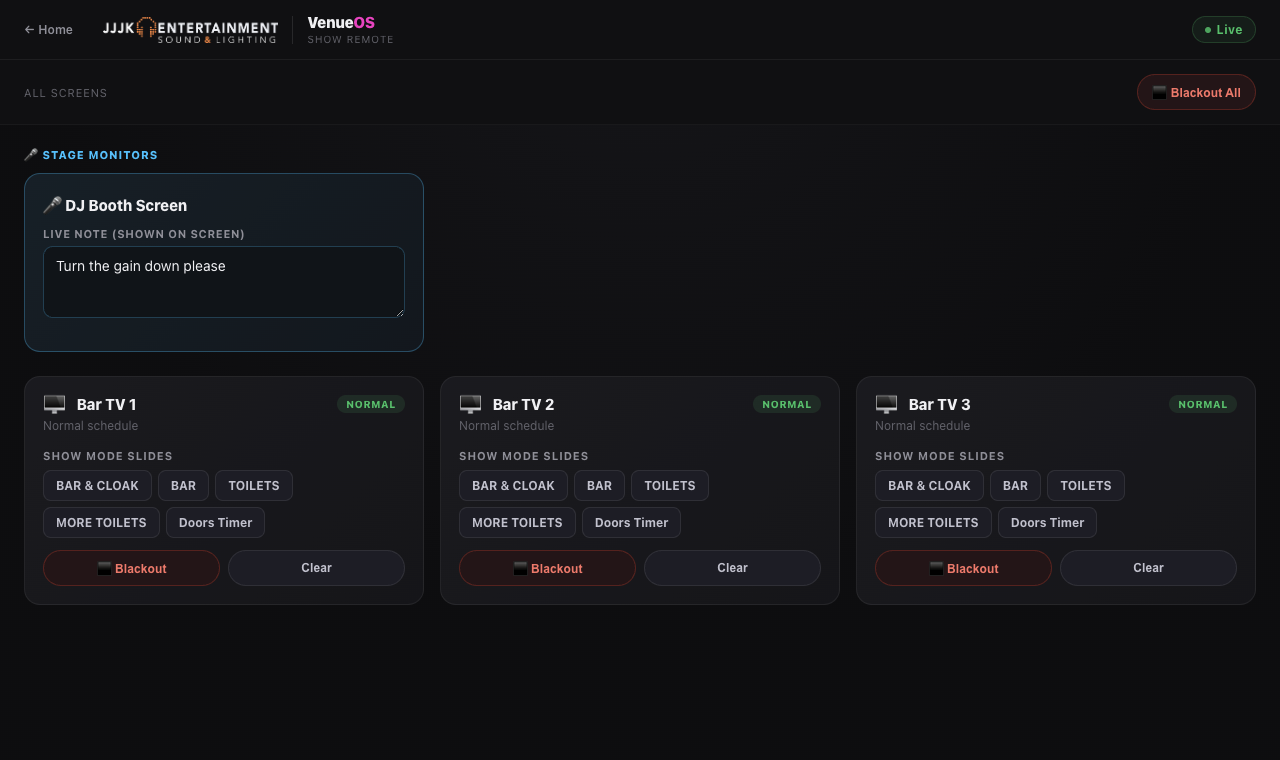
Show Remote with a stage monitor and three screens.
Still stuck?Send us a ticket and the JJJK team will get back to you.
Submit a ticket