
Staff
Mark dishes sold out during service
Keep the boards honest while the kitchen's running.
Find the dish
Scroll, or type in the search box at the top. The
Sold outandLast fewbuttons filter to just those dishes.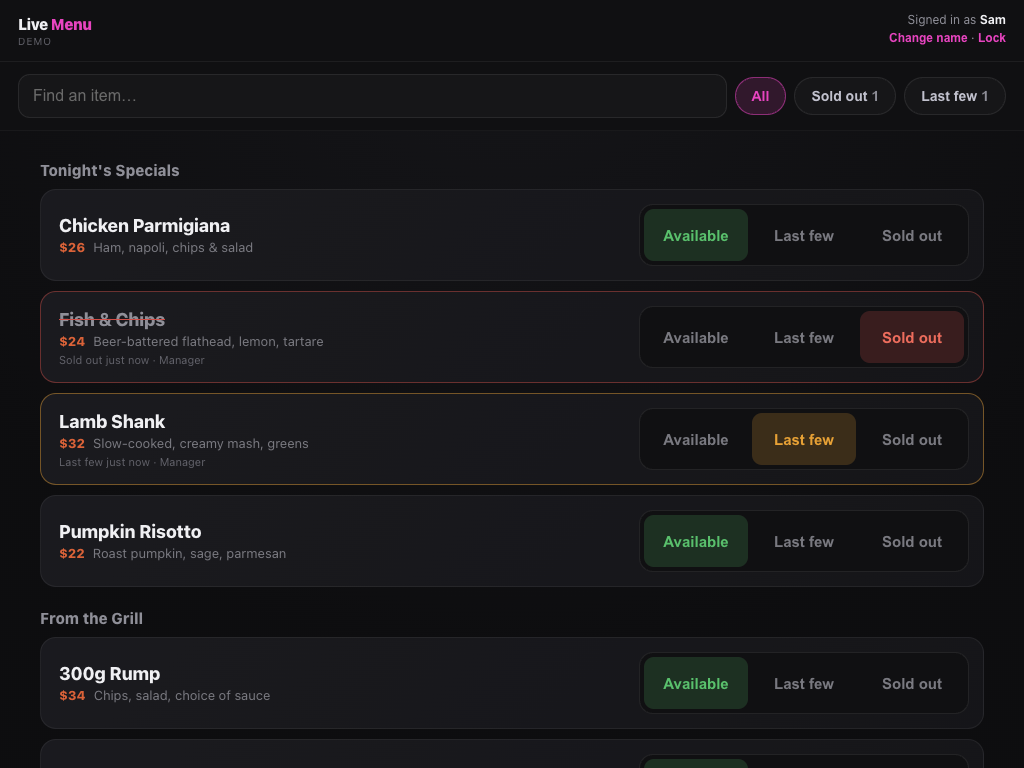
The staff page on an iPad. Tap the status
Each dish has three big buttons:
Available,Last fewandSold out. Every menu board updates within a couple of seconds.Bring it back
Tap
Availablewhen the dish is back on. Sold-out dishes also come back automatically at the daily reset.Fix a price or add a special
If your manager has switched it on, tap
Editnext to a dish to change its name, price, description or tags, or tap+ Add dishunder a section for tonight's special.Remove this dish from the menuis at the bottom of the edit form. The boards update in a few seconds, and the change shows in the log with your name.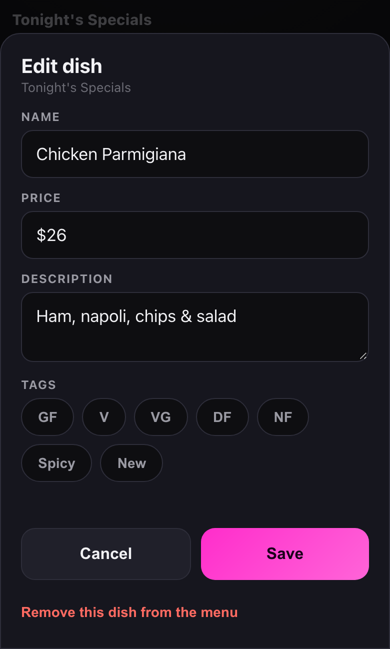
Editing a dish on a phone.
Still stuck?Send us a ticket and the JJJK team will get back to you.
Submit a ticket