
Before Doors
Advance the Show
Everything you'll fill in ahead of the night.
Create it
Showstab,New Show. Title and date are the only two required fields in the whole app.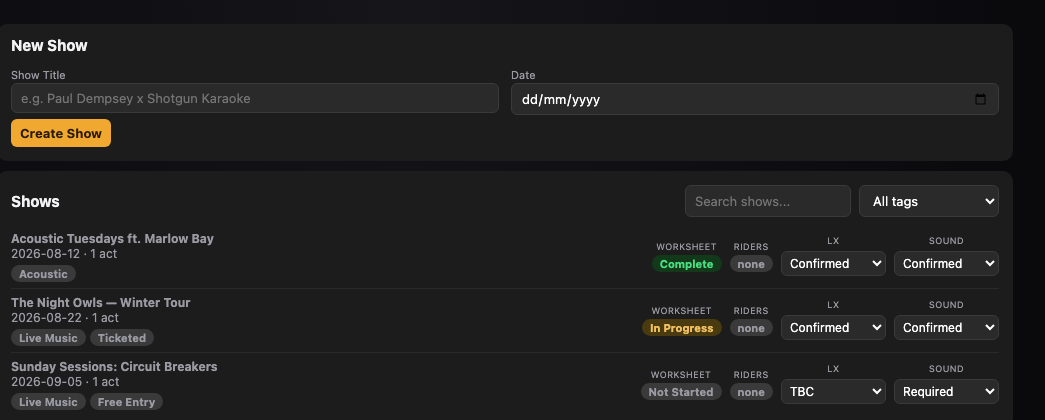
The Shows tab with New Show at the top. Fill in the Worksheet
Booking(accommodation, tour manager, advancing contact, LX/Sound requirements) andLogistics(load in/doors/load out, backline, access notes).Save Worksheetcommits both at once.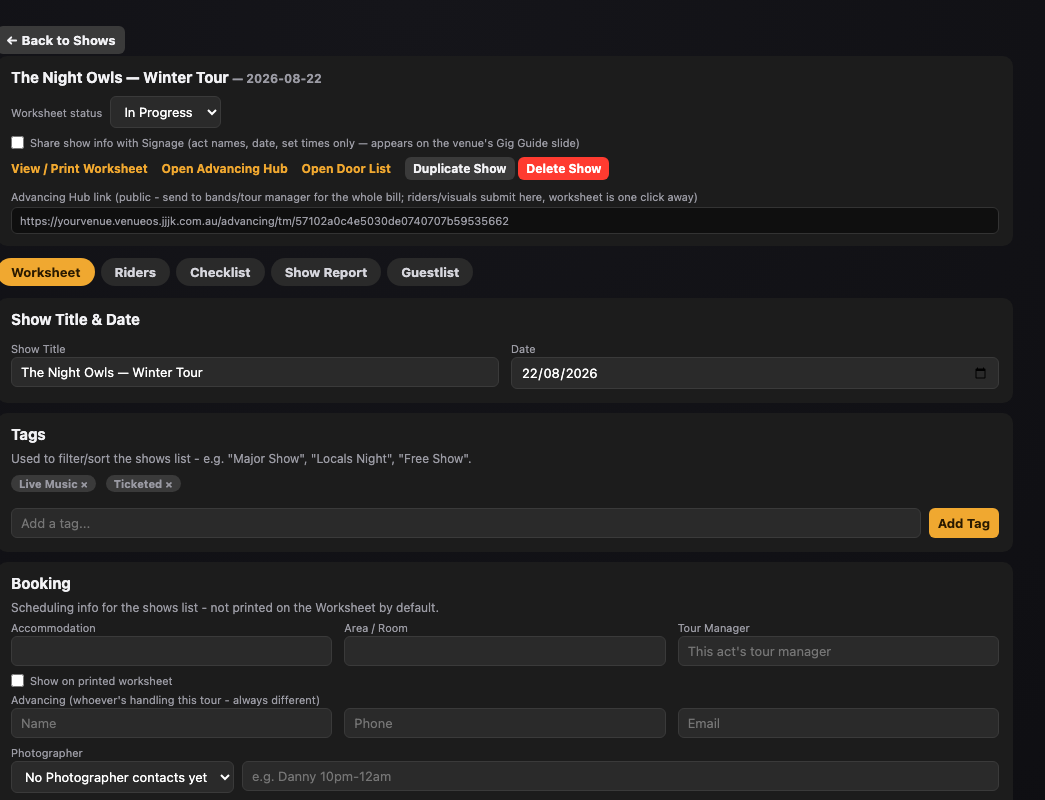
A show's Worksheet, with the Advancing Hub link in the header. Add Acts & Playing Times
An act's name is the only required field — add set times, soundcheck, and contacts as you know them.
Only if someone's covering
People on this Showinherits your permanent Staff Roster Roles automatically. You only need to touch it if someone different is covering tonight — doing so auto-emails them.Send the Advancing Hub link
One link per show, from the show header, shared by the whole bill — every act picks itself off the lineup rather than getting a separate link each.
Still stuck?Send us a ticket and the JJJK team will get back to you.
Submit a ticket