
Run the Game
Calling numbers, start to finish.
Open Display
Put
/bingo/displayon the TV or screen players will watch — or just start a game, since Signage takes over automatically (see below).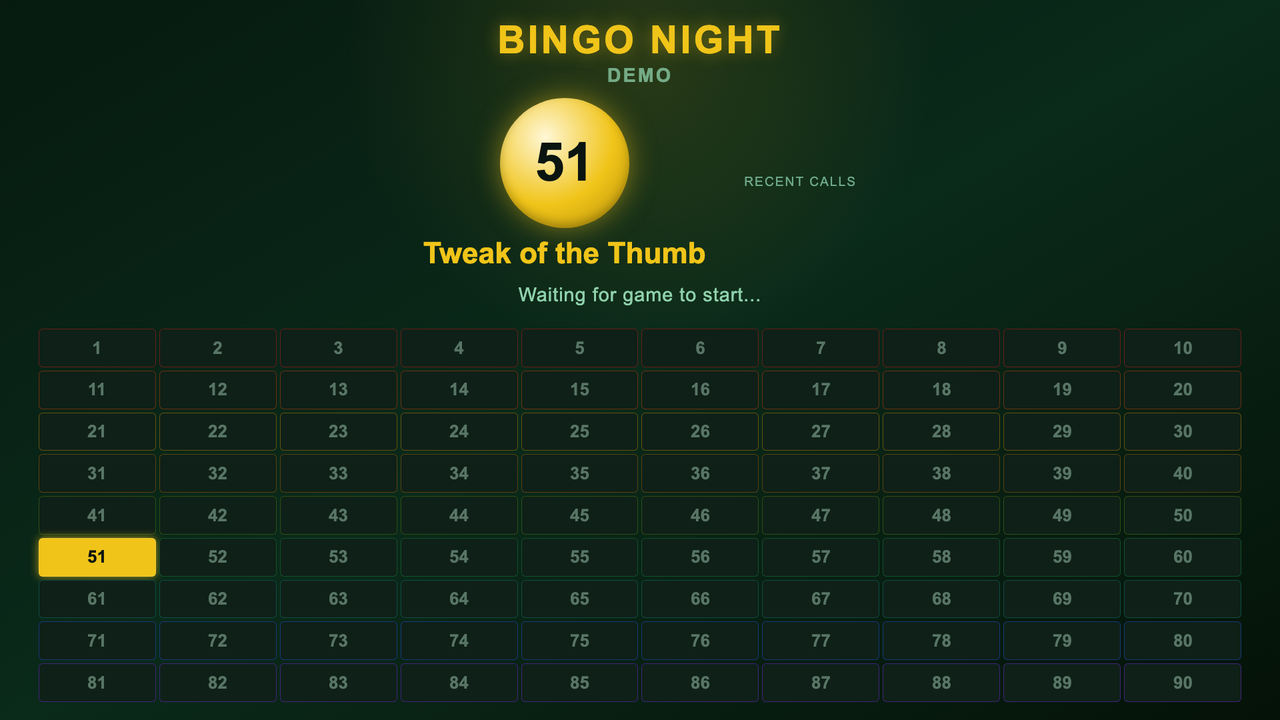
The Bingo display: current ball and the full board. New Game
Clears the board and switches every claimed Digital Signage screen over to the Bingo display for the whole game.
Call Next Number
Draws a random number that hasn't come up yet this game and reads it out on Display (if Voice Call-outs is on).
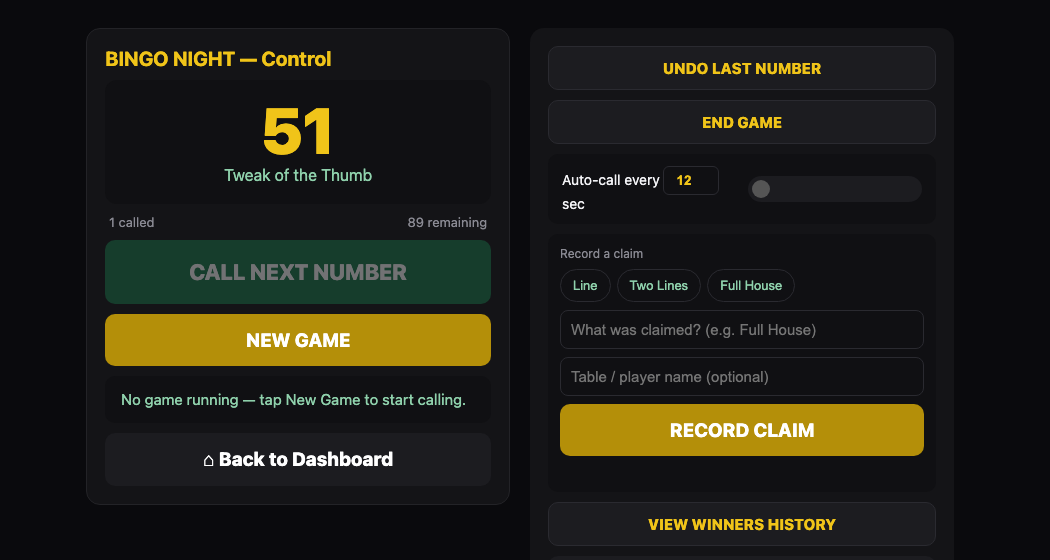
Call Next Number, auto-call and Record a Claim on the control panel. Auto-call (optional)
Turn on the auto-call toggle in More Options to have numbers called on a timer (4-60 seconds) without tapping each one.
Someone calls out
Record the claim (Line, Two Lines, Full House, or anything custom) in
Record a Claim— it's saved to Winners History with how many numbers had been called.Misclick?
Undo Last Numberremoves only the most recent call — it never touches Winners History.End Game
Stops auto-call and hands the Signage screens back to their normal playlist. The board stays visible until you start a New Game.